Fort Myers Citation Cleanup Plan, How to Fix NAP Mismatches and Duplicate Listings Fast
 An organized desk setup for auditing listings and fixing NAP issues, created with AI.
If your business shows up with two addresses, three phone numbers, or a slightly different name across directories, Google doesn’t know which version to trust. Customers don’t either. That’s how you lose calls, map visibility, and walk-ins without realizing it.
A clean Fort Myers citation cleanup is like lining up every road sign that points to your business, so nobody ends up at the wrong place. This plan is built for action, especially if you serve Fort Myers plus Cape Coral, North Fort Myers, Estero, Bonita Springs, Lehigh Acres, or Sanibel.
Pick your canonical NAP (your one source of truth)
Before you edit anything, decide what “correct” looks like. Your canonical NAP is the exact version of your business identity that every platform should match. In January 2026, Google’s verification and automated edits are stricter than they used to be, mismatches can slow down changes or create confusion in Google Business Profile (GBP).
Start by choosing the canonical version based on what’s most defensible: signage, state registration, and what customers see on your storefront and website.
Standardize these fields (exactly):
- Business name : Use the real-world name, no extra keywords. If your sign says “Gulf Coast Dental”, don’t use “Gulf Coast Dental Fort Myers FL”.
- Address formatting : Pick one format and keep it. Decide on “Ste” vs “Suite”, “St” vs “Street”, commas, and whether you include a unit number. The key is consistency.
- Phone number : Choose one primary local number. If you use call tracking, keep it for ads, not your core listings.
- Website URL : Pick one canonical version (https, www or non-www). Then use it everywhere.
- Categories : In GBP, lock in a primary category that matches your real service, then add a few supporting categories that fit.
Document the canonical NAP in one place your team can’t miss. Put it in a shared doc and your password manager notes. Also add a simple “Do/Don’t” line like: “Don’t add ‘LLC’ unless it’s on the sign.” Then make sure your website matches, including the footer and contact page. If you need help aligning your site and listings, start with Google Maps listing optimization so your core data stays clean going forward.
48-hour quick win: stop the bleeding and reduce duplicates
 Rapid citation fixes in progress at a local office desk, created with AI.
If you only have two days, don’t try to fix the whole internet. Focus on the places that feed data everywhere else.
Here’s the fast track:
- Lock GBP first : Make your GBP match your canonical NAP and categories. Then verify the pin, hours, and service area.
- Search like a customer : Google your business name + old phone, name + old address, and name + “Fort Myers”. Open every result that looks like a listing.
- Hit the “big five” : Fix or claim Apple Maps, Bing Places, Yelp, Facebook, and any industry directory that ranks on page one.
- Find duplicates : Look for “nearby” duplicates (same name, different suite) and “ghost” duplicates (old owner, old phone).
- Suppress duplicates, don’t just edit them : If a duplicate shouldn’t exist, request removal or mark it closed/duplicate. Editing a duplicate can keep it alive.
- Snapshot everything : Before and after screenshots save time if a directory reverts your changes.
What to do with old addresses and phone numbers
If you moved locations in Fort Myers, don’t try to “hide” the old address by deleting it everywhere and hoping for the best. Handle it cleanly:
- Old address : Update the correct listing to the new address. For the old listing, request it be marked “moved” or closed. Avoid leaving two active locations unless you truly have two staffed offices.
- Old phone : If customers still call it, forward it to the main line for 60 to 90 days. Then retire it. Keep one primary number on citations to avoid split signals.
For a deeper walkthrough on cleaning errors and preventing repeat issues, use the NAP cleanup guide for local listings.
Fix NAP mismatches across directories without wasting a week
Once the urgent problems are contained, you’ll want a repeatable process. Think of citations like weeds. If you pull a few and stop, they come back. The goal is to clean the main sources, then audit on a schedule.
A practical approach:
- Manual first for accuracy : Claim and correct your core profiles one by one. This catches weird issues like wrong pins, duplicate practitioner profiles, or categories that don’t fit.
- Use a citation tool for scale : Tools like BrightLocal, Moz Local, or Yext can push consistent NAP to networks and help monitor changes. They’re not magic, but they save time after your canonical NAP is set.
If you’re unsure which directories matter most, BrightLocal’s Local Citations Handbook is a solid reference for prioritizing.
This is also where your website and marketing stack needs to match. Your web design should show the same NAP in the header/footer, your contact page, and schema. If your site has a different phone than GBP, your ads can get messy, especially when you’re running google ads, facebook ads, instagram ads, and meta ads. Even email marketing and social media profiles should match the canonical version, so customers don’t get mixed signals.
If you’re tightening GBP at the same time, follow Google Business Profile tips for Fort Myers to align categories, services, and trust signals with your cleaned citations.
Track progress with one simple template (and measure what matters)
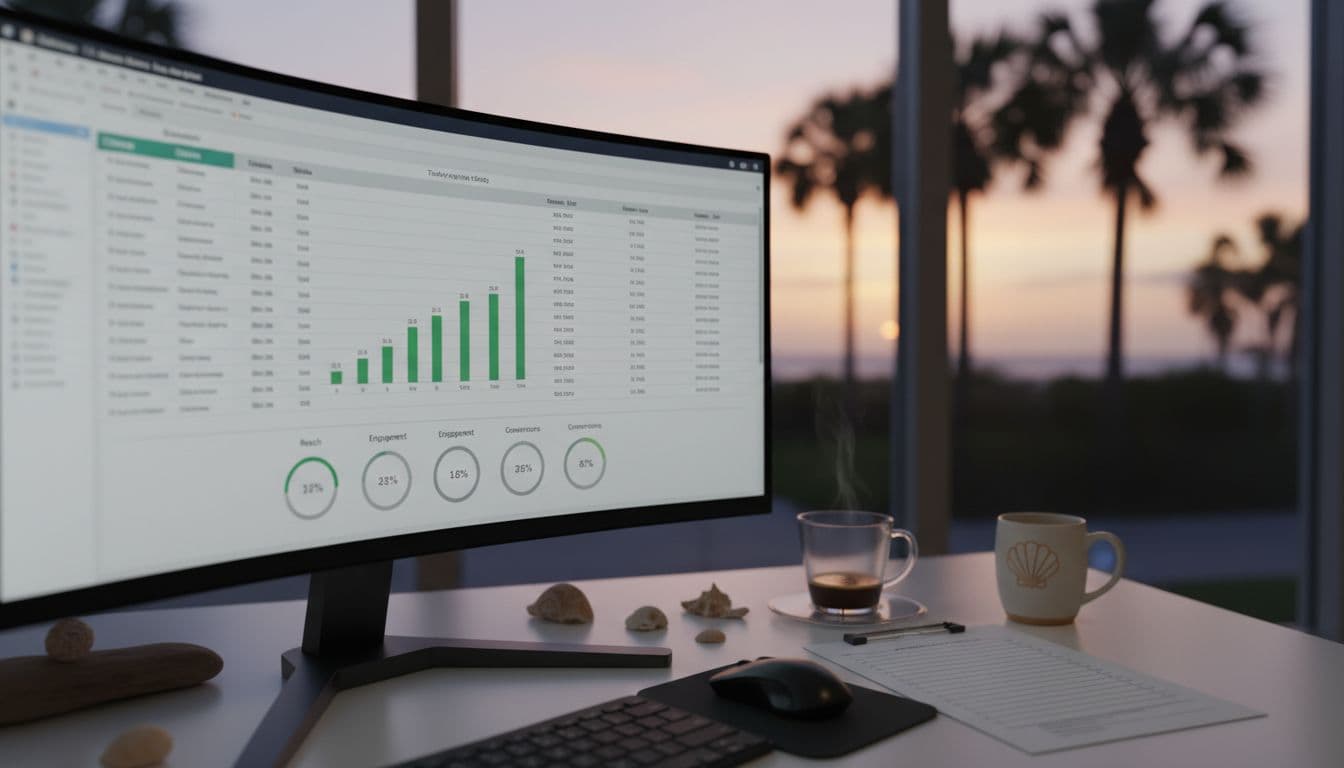 Monitoring citation fixes and local performance over time, created with AI.
Citation cleanup fails when it isn’t tracked. Use a spreadsheet so every fix has an owner and a status. Keep it simple.
Suggested columns:
| Directory | Listing URL | Status (claimed/updated/duplicate) | Wrong field(s) | Correct NAP pasted | Login owner | Date submitted | Support ticket ID | Recheck date | Notes |
|---|
Verification steps (don’t skip these)
After updates, verify in three ways:
- Live search check : Search the directory for your business and confirm the public profile shows the canonical NAP.
- GBP consistency check : Confirm GBP still matches, including hours and primary category.
- Duplicate count check : Track how many duplicates existed, and how many remain.
How to measure success in Fort Myers
A good Fort Myers citation cleanup should show results in real business signals, not just “more listings.”
Watch these metrics over 30 to 60 days:
- Rankings : Map pack visibility for your core service terms.
- Calls and form leads : Fewer “wrong number” calls, more qualified calls.
- GBP Insights : More calls, direction requests, website clicks, and discovery searches.
- Duplicate count : A steady drop, especially on the platforms that used to re-spawn them.
If you want a clear baseline before you start, grab a free local SEO report for Fort Myers and compare it after cleanup.
Conclusion: turn your listings into a reliable lead source
NAP mismatches and duplicates don’t look dramatic, but they quietly drain revenue. Clean the canonical NAP, knock out duplicates fast, then push consistency everywhere and track it.
If you want this handled end to end, a Fort Myers marketing agency can combine citation cleanup with search engine optimization and SEO, plus the web design and ad tracking that keep leads flowing after the cleanup is done. The payoff is simple: more trust, more visibility, more calls.
Featured Resources
Check Our Latest Articles