Fort Myers Google Business Profile photo plan, what to post each week, what to avoid, and how to stay consistent
If your Google Business Profile is your storefront on Google, your photos are the windows. People in Fort Myers scroll fast, especially on mobile, and your images often decide whether they tap Call , ask for directions, or keep moving.
A smart plan for google business profile photos doesn’t mean “post random pictures when you remember.” It means posting the right categories each week, keeping quality steady, and avoiding the stuff that can hurt trust or trigger issues with your listing.
This guide gives you a repeatable 4-week calendar, a clear “don’t do this” list, and a workflow you can stick to even during busy season.
Why Google Business Profile photos win local clicks in Fort Myers
 An owner capturing a fresh storefront photo for their Google Business Profile, created with AI.
In Fort Myers, customers often search with high intent. They’re already nearby, or they’re planning a stop while running errands on Colonial Blvd, Daniels Pkwy, or downtown. Photos help answer the quick questions people don’t want to type: Where’s the entrance? Is parking easy? Does this place look clean, legit, and open?
Good photos also back up the rest of your marketing. When someone clicks from google ads to your listing, or finds you after seeing your social media posts, your images reduce doubt. The same is true if you run facebook ads , instagram ads , or broader meta ads that push local awareness.
If you’re already investing in web design , email marketing , and search engine optimization (SEO), your Google Business Profile photos should match that same level of polish. They don’t need to be “studio perfect,” they need to look real, current, and easy to understand at a glance.
For the bigger picture beyond photos, bookmark this Fort Myers GBP optimization guide and tighten the rest of your profile to match the visual plan below.
A 4-week repeatable posting calendar (3–5 photos per week)
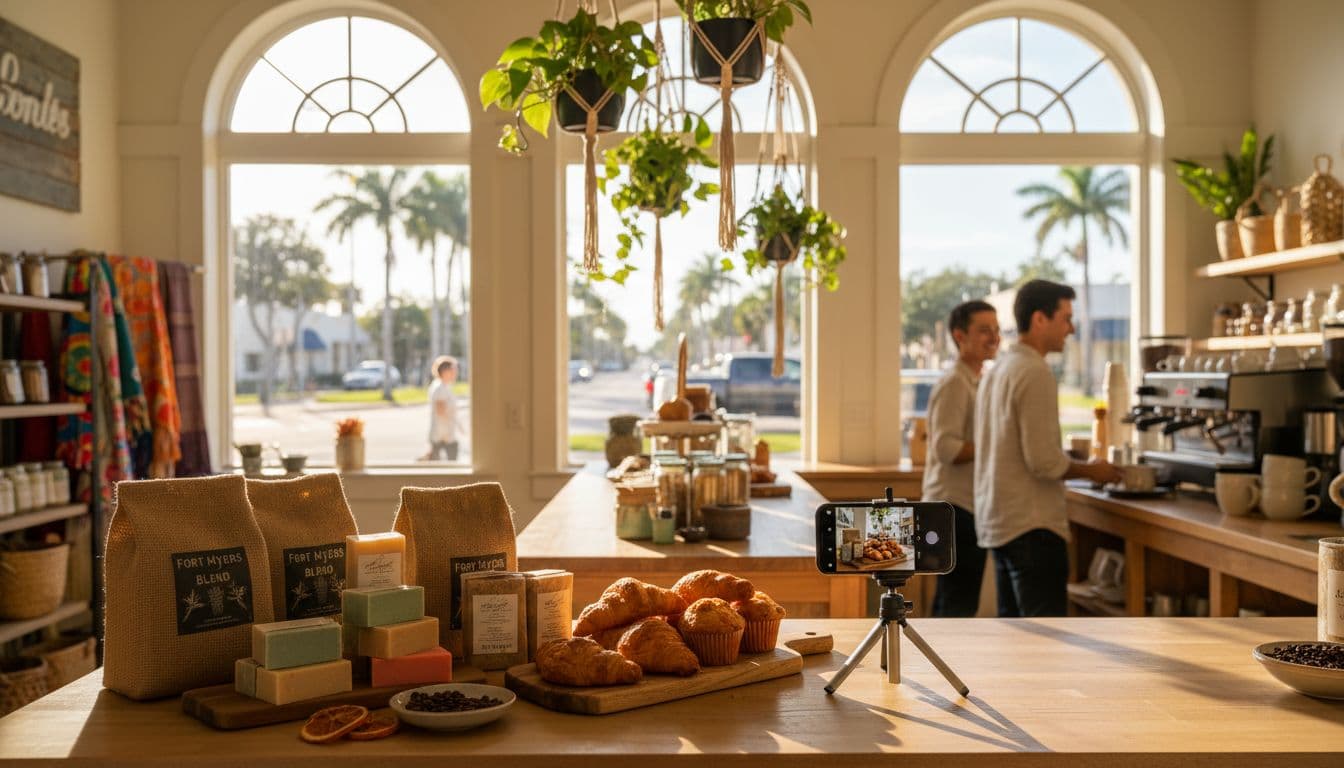 Simple product photo staging inside a local shop, created with AI.
Aim for 4 photos per week (Mon, Wed, Fri, Sat). It’s enough to look active without turning into homework. Repeat the cycle monthly, swapping in new projects, new inventory, and seasonal scenes.
| Week | Mon | Wed | Fri | Sat (optional) |
|---|---|---|---|---|
| Week 1 | Exterior (front, sign, entrance) | Interior (clean, wide shot) | Team (at work, candid) | Product/Service hero shot |
| Week 2 | Before/After (same angle) | Job-site (in-progress, tools) | Process (step-by-step moment) | Menu/Price board (if relevant) |
| Week 3 | Reviews/UGC (customer photo with permission) | Inventory/New arrivals | Community (local event, partnership) | Parking/Wayfinding (where to enter) |
| Week 4 | Seasonal (snowbird rush, holidays) | Safety/Trust (cleaning, licenses, warranties) | Promo (limited offer photo) | Weather-ready (hurricane-prep angle) |
A few Fort Myers-specific notes that keep this calendar practical:
- Restaurants and cafes : rotate menu items and dining vibe shots weekly, keep lighting natural.
- Home services : job-site and before/after photos can carry your whole month, just keep angles consistent.
- Clinics and salons : focus on welcoming interior, team professionalism, and “what it feels like” to walk in.
Photo specs matter more than people think. If you want a clear baseline for sizing and clarity, use this reference on Google Business Profile photo sizes and keep your uploads crisp.
What to avoid (so your photos help instead of hurt)
Bad photos don’t just look bad, they create friction. And friction costs calls.
Here’s what to keep out of your Google Business Profile photo mix:
- Blurry, dark, or heavily cropped images : If someone can’t instantly tell what they’re seeing, they won’t trust it.
- Misleading edits : Don’t “fix” reality with extreme filters, fake skies, or dramatic color shifts. Light editing is fine, deception isn’t.
- Stock photos posing as your business : Generic stock images can make customers feel tricked. If you use AI, use it for blog graphics or concepts, not to fake a job you didn’t do.
- Privacy problems : Avoid clear faces unless you have permission, and watch for kids , license plates , and personal items in the background.
- Sensitive locations : Be careful inside medical spaces, private residences, and client sites where addresses or valuables show.
- Screenshots and flyers : Text-heavy graphics usually look low-effort in a photo gallery.
- Keyword stuffing myths : Renaming images with spammy phrases won’t “hack” rankings. Keep names descriptive and honest, and focus on real-world quality.
If you want a simple explanation of what Google expects overall, review a plain-language breakdown of Google Business Profile guidelines and stick to the spirit of it: accuracy, trust, and real representation.
A consistency workflow that doesn’t fall apart (with a printable checklist)
 Reviewing photo performance and engagement trends, created with AI.
Consistency is a system, not motivation. The goal is to capture photos once, then drip them out all month.
Batching workflow (60 minutes a week):
Shoot on the same day each week (many Fort Myers teams pick Monday morning). Grab 15 to 25 shots across the categories, pick the best 4 to post, and save the rest for slow weeks.
Capture checklist mindset:
Take every category from two distances: wide (context) and close (detail). That one habit fixes most “we don’t have anything to post” problems.
File naming and storage:
Use a simple format like 2026-01-JobType-Location-Category-01.jpg
. Store in Google Drive (or similar) with folders by month. Keep a separate “Approved” folder so no one posts the wrong image.
Approvals:
If you have multiple locations or a franchise, set one person to approve. If you work with a marketing agency
, ask for a shared folder and a one-page style guide so your GBP photos match your brand across ads, your site, and your SEO
work. If you need help beyond photos, this Google Maps and directory listings service
pairs well with a photo plan because it improves accuracy and visibility across platforms.
Printable checklist (save this and reuse weekly)
- Exterior entrance shot in daylight
- Exterior sign close-up (readable)
- Interior wide shot (clean, lights on)
- Team candid working shot (permission confirmed)
- Product/Service hero shot (best seller)
- Before/After same angle, same distance
- Job-site in-progress proof shot
- Parking/Wayfinding where to enter
- Remove faces, plates, private info before upload
- Choose 4 winners, move to Approved folder
- Upload weekly, keep categories rotating
- Check Insights: views, calls, direction requests
Tracking and when to refresh older photos
In your Google Business Profile Insights, watch three actions: calls , website clicks , and direction requests . If those dip after you stop posting, it’s a sign the photo cadence is doing real work.
Refresh older photos when:
- You change signage, hours, or layout.
- You add new services, equipment, or a new menu.
- Your top photos are over 12 months old, or show outdated branding.
- A customer uploads a confusing photo (replace it with clearer shots fast).
If you want more walk-ins and more calls from Maps, pair this photo plan with a broader Fort Myers Google Maps ranking blueprint.
Conclusion
A steady plan for google business profile photos is one of the simplest ways to look more trustworthy in Fort Myers without increasing ad spend. Post a few times a week, rotate categories, keep quality clean and real, and run the same workflow every month. When your photos stay current, your listing feels alive, and customers act like it.
Featured Resources
Check Our Latest Articles